


Reports
AI for Lean Procurement Teams
How a mid-market manufacturer saved $420K per year with PO automation
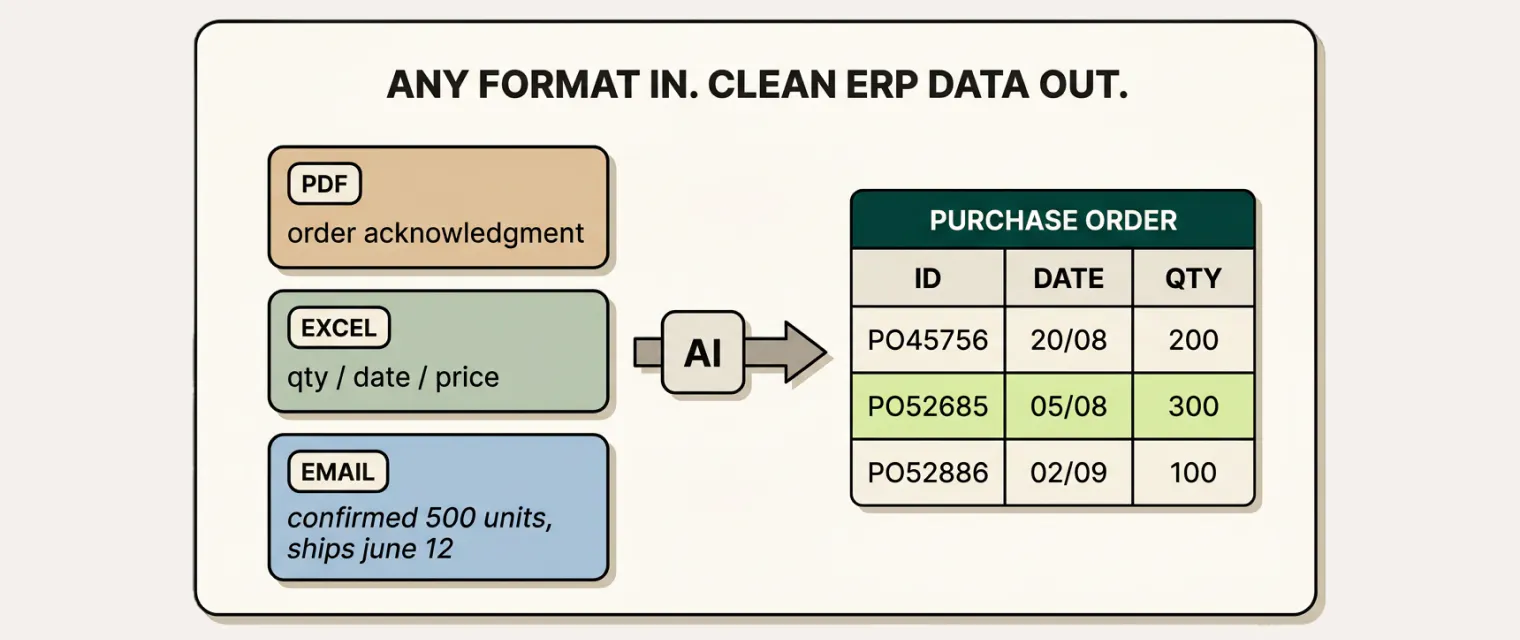

Small and medium-sized manufacturers deal with the same issue as larger organizations when communicating with suppliers. Whether the purchasing operation runs on SAP Business One, Epicor, Netsuite, or spreadsheets, the opportunities to structure supplier communication are the same:
As a result, 90% of PO confirmations still arrive by email (as text, PDFs, Excel attachments, and everything in between) in the manufacturing industry. For small and medium-sized companies, that number is closer to 100%. Confirmations, exceptions, and promised-date changes flow through the inbox. The downstream cost of this reality shows up in three places:
1. Manual data entry and validation consuming planning capacity. Most small and medium-sized manufacturers run the inbound supply chain with a small and lean team. They cover demand signals, supply planning, PO management, transportation, and handle exceptions. Most of their day goes to resolving issues via email, updating the ERP, and tracking on spreadsheets. Among the multitude of responsibilities, supplier follow-ups easily get dropped, an unconfirmed order is missed, and in turn the teams have to resolve production delays with expensive expedites and safety stocks.
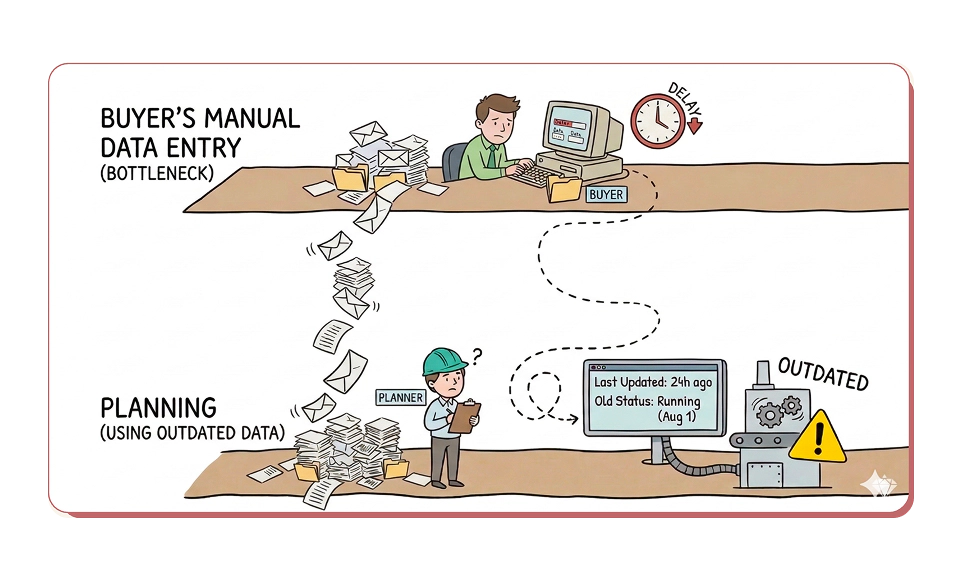
2. Missed signals for production planning. Critical supplier updates (date changes, quantity adjustments, backorder notices) are trapped in unstructured emails. As managing exceptions takes priority, planners barely have time to extract and record this data into the ERP regularly. Consequently, the system shows outdated information and forces them to schedule production based on incorrect promised dates, quantities, and SKUs. This causes missed delivery dates that lead to expedites and premium freight costs.
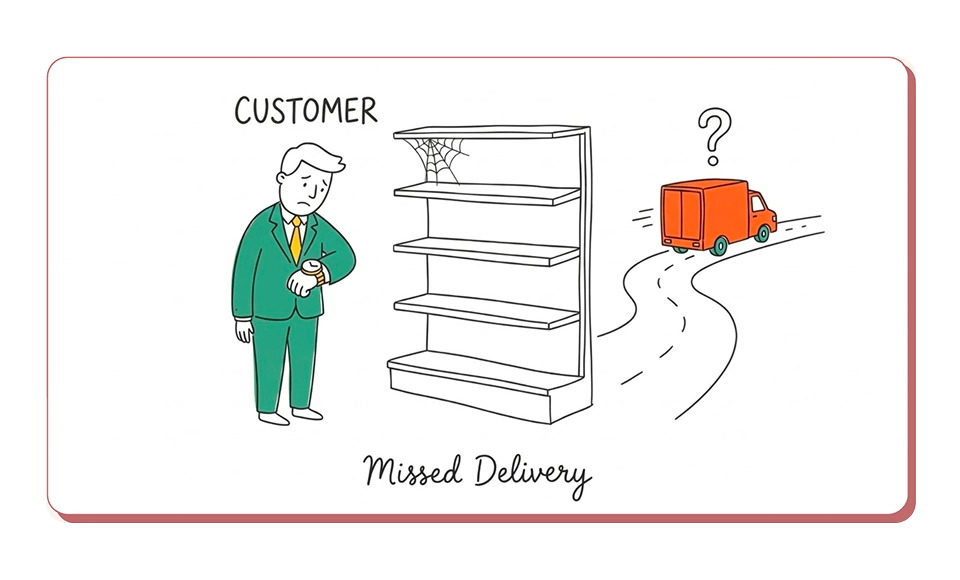
3. Significant costs from reactive firefighting. When a supplier does not respond or changes go undetected, planners may assume the PO status is on track until the floor supervisor stops production due to a missed delivery. This leads to emergency expedites and premium freight costs, often the difference between a planned LTL shipment and a last-minute FTL or hotshot. The premium freight is the visible expense, but the customer OTIF failure that follows puts even the next contract at risk.
Companies now have a new option: an AI Agent reads supplier emails and matches confirmations against open POs without a portal rollout or EDI implementation. Suppliers keep working the way they already do.
AI Agents work inside the email channels that purchasing teams already use to communicate with suppliers. They read unstructured confirmations in any format: a one-line email, PDF, or a spreadsheet with 40 line items. AI agents also validate POs, follow up with suppliers, and keep the ERP up-to-date. MRP reflects what suppliers will actually deliver, planners schedule production against real commitments, and exceptions surface before they become line stoppages.
This report covers why EDI and portal adoption are not realistic for most small and medium manufacturers, what running this process manually actually costs, and how an AI Agent turns unstructured supplier communication into structured ERP data without extra headcount or IT burden.
Leading manufacturers of all sizes are automating PO confirmation to enable proactive risk resolution. By connecting supplier communication directly to ERP in real time, they turn what was a reactive, manual process into a proactive, automated one. The results are consistent: fewer manual touchpoints, faster confirmation cycles, measurable improvements in fill rate and supplier OTIF, and fewer exceptions driving high spot-buy costs and excess safety stock. Here is what this looks like in practice for small and medium-sized manufacturers:
| Company | Industry | Use Case | Impact |
|---|---|---|---|
| Package One Industries | Packaging | - Replace reactive backorder management with proactive supplier alerting. - AI extracts supplier acknowledgments and ship-date changes from email and PDF and alerts planners in real time. | - 90% reduction in PO confirmation time. - Downstream commitments protected through earlier intervention. |
| Fissler | Premium Cookware | - Captures PO confirmations from supplier emails and PDFs. - Auto-posts confirmed orders to SAP. - Flags deviations in price, quantity, or delivery | - ~19K PO confirmations processed automatically. |
| Blu Dot | Furniture | - AI automates supplier follow-ups across thousands of POs. - Request acknowledgments and week-to-week delivery updates. - Parses supplier responses from emails, PDFs, and Excel sheets. | - 50% of purchasing team's time freed. - Improved customer satisfaction through real-time visibility. |
| teamtechnik | Industrial Automation & Assembly Systems | - Processes order confirmations, shipping notices, and invoices. - Flags deviations with automated warning systems. | - Optimized a 19-person team managing 80,000 purchasing positions per year. - Suppliers connected in minutes with no process changes or costs. |
| Zentis | Food Manufacturing | - Procurement-side PO confirmation automation. - Automatically processes incoming supplier order confirmations inside SAP. | - 100% automatic processing for deviation-free confirmations. - Process standardized across 4 fragmented purchasing areas. |
The sentiment from operations leaders at small and medium manufacturers is consistent: even if they implement an expensive portal or EDI system, supplier adoption frequently falls behind. This wipes out the investment without meaningful operational improvement.
When you walk the floor, the planner or procurement manager is manually copying and pasting updates from MS Outlook to the ERP or a spreadsheet. Suppliers confirm POs and communicate exceptions by email. Material planning systems remain unaware of critical signals buried in these emails that were never processed and added into ERP. This prevents planners from taking proactive corrective actions.
We conducted a preliminary analysis of supplier communication at a mid-market manufacturer sourcing from China, Vietnam, Malaysia, and Southern Europe. Planners spent 60%+ of their time emailing suppliers for updates and follow-ups, such as freight bookings, cargo readiness, and dispatch status. The problems buried in those emails surfaced too late and showed up downstream as expedited fees, excess safety stock, and missed promise dates.
Additionally, a supplier doesn't have the bandwidth to log into hundreds of customer portals to manually update information and upload files. Email is the single tool that works for every customer, handles routine confirmations and complex exceptions equally well, and requires zero training.
So the status quo is this: EDI handles the strategic partners, portals handle a fraction of the rest, and email handles everyone else. In practice, email is the entire confirmation process.
Every operations leader we speak with recognizes this. The question is not whether email is the dominant channel. The question is what to do about it.
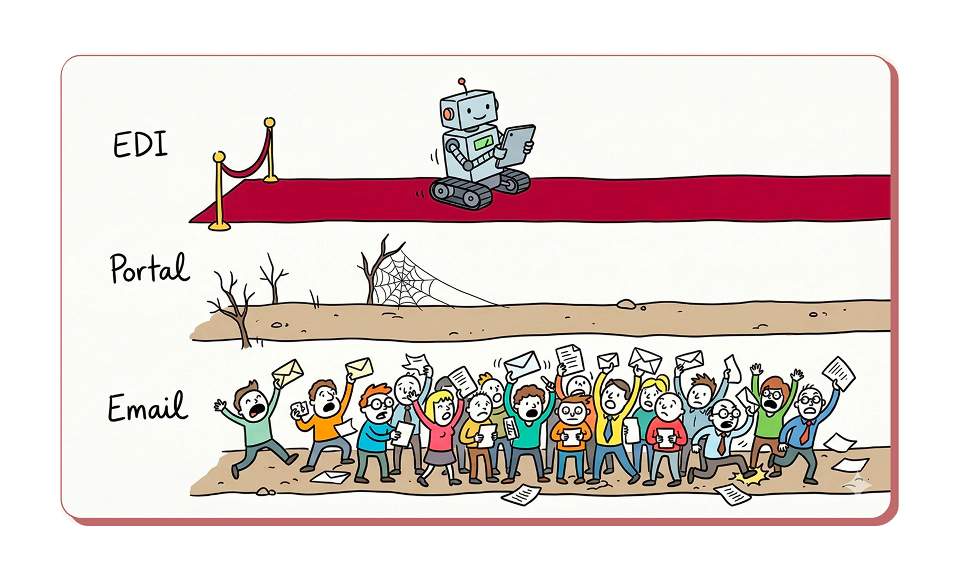
If EDI is largely absent and portals have minimal adoption, email is the de facto standard to issue POs to suppliers and collaborate with them on promised dates and exceptions. Critical information arrives unstructured in mail bodies, or deeply embedded inside PDFs & Excel attachments.
Every confirmation requires a planner to read the email, interpret the response, cross-reference it against the original communication, and manually key the data into the ERP. Until that happens, planners are working with outdated information. Most organizations accept this as operational reality. Few have quantified what it actually costs.
PO confirmation-related activities frequently account for 60 to 70% of a planner's workload: managing incoming confirmations (30%), updating the ERP (20%), and resolving exceptions and escalations (20%), according to a recent report published by APQC*.
The preliminary analysis referenced earlier made the cost concrete. Follow-ups accounted for 60%+ of all emails sent by purchasing teams. Annualized, that burden consumed roughly 850 hours, nearly 1.2 FTEs. In a lean purchasing team, that is the majority of someone's job.
When critical data regarding confirmations or delays live in unstructured emails, planners spend hours context-switching, parsing the information, and keeping the ERP system up to date.
During that window, the organization loses valuable time to react, respond and adjust flexibly to new signals and instead work off bad data.
To address this, organizations typically choose one of two ways.
While many organizations track OTIF as a key KPI, the cost of seeing it drop is less frequently quantified. When an unprocessed confirmation delays production or triggers last-minute rescheduling, the company pays for the expedites and excess inventory internally. But the customer receives the late delivery.
The consequences vary by industry, but the pattern is the same:
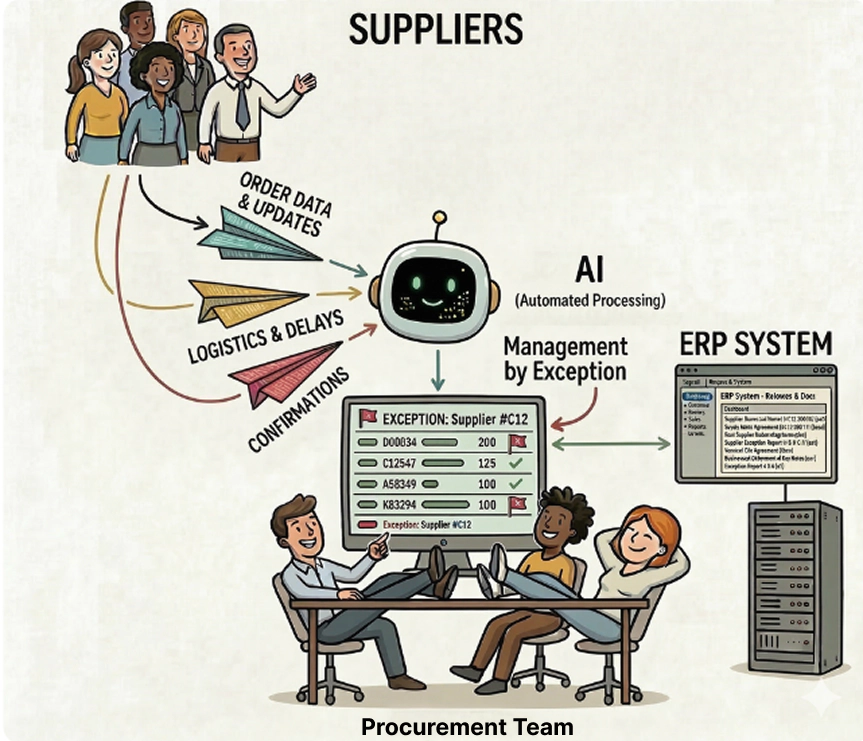
Portals failed because they forced suppliers to change how they work. In contrast, an AI agent meets them where they already are while delivering even greater value to the manufacturer. Suppliers and purchasing teams keep doing exactly what they do today: replying by email. No adoption or training required.
The AI agent reads the conversation, validates the information against the organization's master data, clarifies open questions with suppliers, and updates the ERP in real time, so planners can take action proactively.
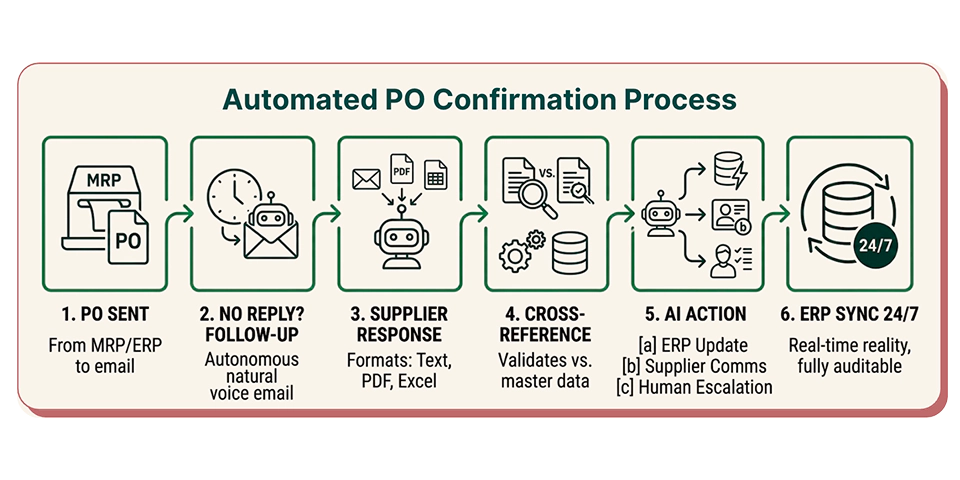
| Step | What Happens |
|---|---|
| 1. PO issuance | The PO is sent from the MRP or ERP. The AI Agent receives emails from the procurement group mailbox or integrates with the organization’s email system via forwarding rules. |
| 2. AI follows up for a reply | If the supplier hasn't responded within the agreed SLA, the AI follows up autonomously in a natural and professional human voice via email. |
| 3. Supplier replies by email | Suppliers confirm via text, Excel, PDF or other means, ask questions, or propose changes to the PO. No changes for them. |
| 4. AI validates the response | The AI Agent cross-references the supplier's response against the original PO from the ERP. It flags mismatches and validates against the master data. |
| 5. AI takes action | The procurement team now only manages by exception: (a) If there are no issues, the AI automatically updates the ERP; (b) If the AI spots inconsistencies, it reaches out to the supplier to clarify, verify, and confirm; (c) AI escalates exceptions that require human intervention to the planner for one-click approval. |
| 6. ERP stays in sync, 24/7 | The ERP now reflects reality. Planners can make decisions based on actual supplier commitments instead of old promised dates. Every update is fully auditable: the original email, what action the AI took, and who approved it. |
The AI agent is configured around the organization's SOPs and business rules. No data leaves the environment. Every action is logged with a full audit trail, and the procurement team controls what the AI Agent can and cannot do.
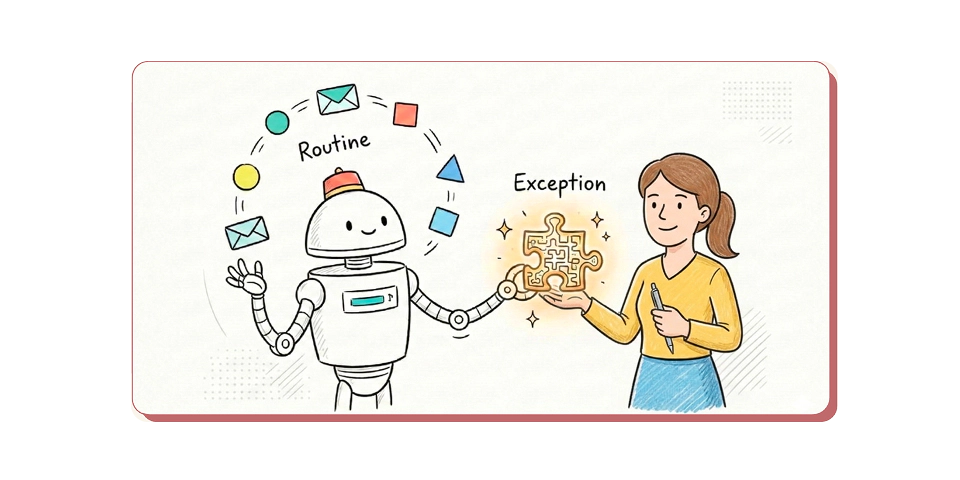
When the AI Agent notices a discrepancy that it cannot resolve with the supplier, it recommends solutions and next steps to the planner. The planner can either approve the recommendation or work with the AI Agent to explore alternatives. Once the planner confirms a path, the agent executes based on the organization's SOPs. The planner stays in control, the AI handles the execution.
Beyond forecasts and reports, the organization’s supply chain becomes proactive. New information triggers immediate action, not a queue of emails waiting for the procurement team to process.
The AI agent is designed around three principles. First, every confirmation is validated against the organization's master data and the original PO before anything is updated in ERP or sent back to the supplier. Second, the AI agent communicates in clear, professional language that mirrors how planners already write. Third, planners retain full control.
The AI agent does not negotiate, escalate disputes, or make commitments on behalf of the planner. When something falls outside the standard flow, the agent escalates with full context so the planner can engage the supplier directly.
In practice, suppliers often respond faster and more consistently when the follow-up cadence is quick and reliable.
Most supply chain executives from small and medium-sized manufacturing companies we speak with point to the same three outcomes.
1. Major cost reductions: Lower safety stock, fewer expedites, and fewer production disruptions. Every buffer the organization carried to compensate for missing confirmation data becomes recoverable working capital.
2. Significantly higher OTIF: Real-time confirmation data in ERP gives planners the control and visibility to act before a missed date becomes a missed delivery. The process becomes resilient instead of reactive.
3. Buyers focused on high-value work. When confirmation processing no longer consumes 60 to 70% of a buyer's time, that capacity shifts to supplier development, negotiations, and strategic sourcing decisions.
| Impact Area | Before | After | Impact |
|---|---|---|---|
| Planner Capacity | 1.2 FTE / $90K annual cost | 0.25 FTE / $20K annual cost | $70K saved / 78% reduction |
| Expedites & Buffer Inventory | $540K annual cost | $190K annual cost | $350K saved / 65% reduction |
| Supplier On-Time Confirmation | 78% on-time | 90% on-time | +12 points |
| Total Annual Savings | $420K/yr |
Unlike traditional software projects, an AI Agent does not require upfront data cleaning, 12-month global rollout, or supplier onboarding. A pilot can start with one procurement team and their highest-volume supplier segment, with minimal IT resources.
The AI Agent connects to the organization's existing email environment and ERP through a lightweight integration. It is like adding a new team member who understands the organization's standard operating procedures and starts working. Suppliers keep doing exactly what they do today. Procurement teams and planners keep using the same inbox. The manual work in between is handled by the AI Agent.
Organizations can prove ROI within the first eight weeks with a single procurement team and use the results to build the business case for a broader rollout.
You just read where teams are automating. We will show you the same on your documents, in 30 minutes.